





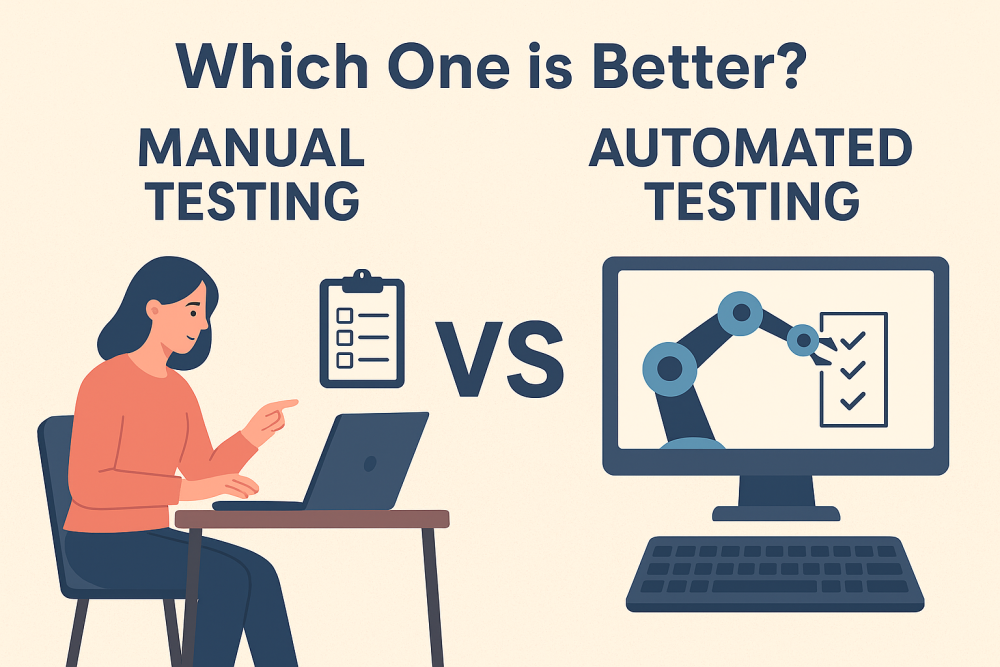
Each software team at some point asks itself the same question: Do we focus more on manual testing or do we spend a lot on automated testing? The reality is, both are important in their own ways to ensure product quality. But with increasing demands for speedier releases and continuous delivery, teams get bogged down in trying to find the appropriate balance. This article discusses the advantages, disadvantages, and optimal applications of manual and automation testing so you can choose which method works best for your project.
Manual testing is precisely what it sounds like testers run test cases manually with no assistance from automation tools. The tester simulates the end user and does things like click buttons, fill in forms, and watch behavior to ensure correctness.
Dependent on human observation and imagination
Applicable to exploratory, usability, and ad-hoc testing
No initial investment in automation tools
Less repeatable and slower than automation
Automated testing employs tools, scripts, and frameworks to execute tests automatically. Rather than clicking through the UI manually, the system runs test scripts and verifies actual results against expected results.
Highly repeatable and consistent
Best suited for regression, performance, and load testing
Needs initial setup and constant maintenance
Conserves time in the long run, particularly in CI/CD pipelines
Manual testing excels where human insight and flexibility are needed.
Testers can easily accommodate new features or unforeseen behavior without the need to wait for scripts to be modified.
Only humans can determine whether an application is intuitive, visually appealing, or easy to use.
Manual testing enables testers to "go off script" and discover bugs that automated tests cannot catch.
Time-consuming: Manually running repeated regression tests is an eternity.
Human error: Testers might miss problems because they get tired or make assumptions.
Poor scalability: As software expands, manual testing cannot match the rate of delivery.
Automation is the backbone of contemporary QA.
Scripts are faster than human beings, and therefore ideal for regression tests.
While humans tire and get distracted, scripts never do, yielding reliable results every time.
Automation integrates with pipelines with ease, offering immediate feedback following each commit.
Automation has its pitfalls.
High initial investment: Frameworks, scripts, and infrastructure setup takes time and money.
Maintenance overhead: Tests fail when the app evolves, needing to be constantly updated.
Restricted imagination: Automated tests can test only what they're programmed to test.
Manual testing is best suited in situations where human judgment plays an important role.
Exploratory testing: Finding new bugs can be discovered in unexplored areas.
Usability and accessibility testing: Analyzing how users interact with the product.
Short-term projects: When setting up automation is not worthwhile the price.
Automation is a necessity for massive and repetitive testing.
Regression testing: Rapidly checking whether new code doesn't break existing features.
Performance testing: Modeling thousands of users at once.
Cross-browser/device testing: Performing tests on many environments.
Far from it, automation can't simulate human intuition or creativity.
Manual testing remains necessary where user experience counts.
Trying to automate absolutely everything is an expensive error balance is the answer.
Rather than arguing over what's better, successful teams do both. Manual testing finds usability problems and exploratory information, while automation delivers speed and consistency in regression testing.
This hybrid approach is commonly depicted as the test automation pyramid, with unit tests at the bottom, integration tests in the middle, and manual/exploratory testing supplementing the automated layers.
In DevOps and Agile environments, QA is not a gate at the end but ongoing. Teams automate brief checks in CI/CD pipelines and perform manual testing in sprint reviews, exploratory sessions, and user acceptance testing.
When determining the balance of manual versus automated testing, keep in mind:
Project timeline
Budget and resources
Application complexity
Release frequency
User expectations
Picture a bank application. Automated testing confirms that each login, transaction, and balance calculation is flawless with each release. But there's still a vital role for manual testers ensuring the application is easy to use, secure against social engineering ploys, and accessible compliant. Combined, they provide a safe and usable experience.
Artificial Intelligence is improving manual and automated testing. AI-based tools have the ability to create test cases, identify risky areas, and even automatically fix broken scripts. Nevertheless, human testers continue to be essential for innovative and moral decision-making.
So, is manual or automated testing better? The answer is honest: neither is better alone, they're better together. Manual testing provides human intuition and flexibility, while automated testing provides velocity and scalability. Together in the right balance, teams who use both can deliver solid, user-friendly, and innovative software without sacrificing quality or speed.